
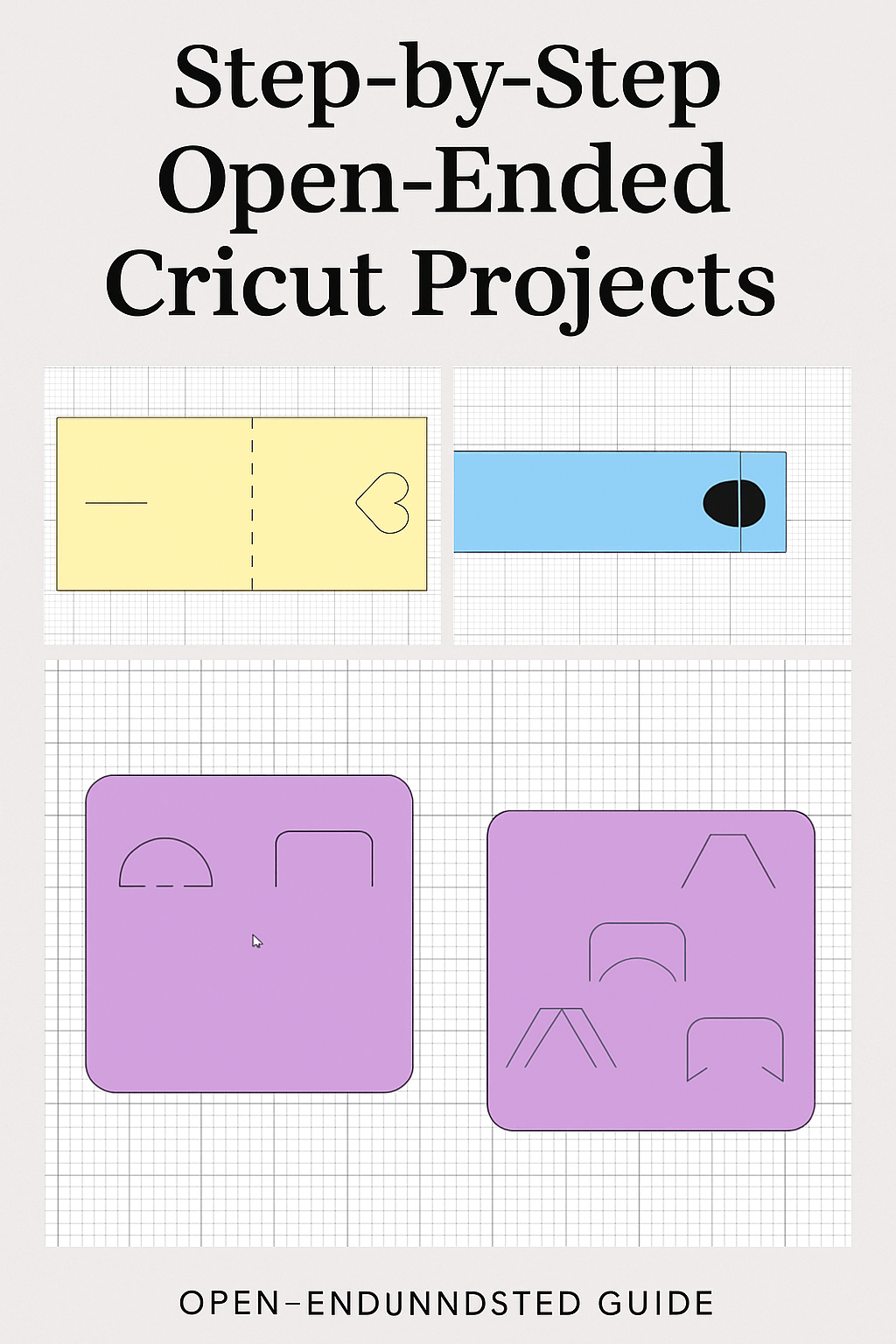
Discover how to use open-ended shapes to create dimensional projects, unique envelopes, custom closures, and more with your Cricut.
Learn how to master open-ended shapes in Cricut Design Space to create 3D designs, layered crafts, interactive cards, and DIY boxes. This step-by-step guide will show you how to turn simple shapes into standout paper crafts with your Cricut machine.
✨ Introduction:
Ever looked at those little slits or curved lines in Cricut’s shape library and wondered what they’re for? Those are open-ended shapes – basically shapes that aren’t fully closed (think of a circle with a gap, or a line with artistic curves). They might seem simple, but open-ended shapes open up a world of crafty possibilities! These small cuts or drawn lines add a free-flowing, hand-drawn flair to your designs. You can cut them into your projects for decorative slits or even draw them with Cricut pens for doodle-like embellishments. They’re fantastic for adding texture (imagine using a bunch of open half-circles to mimic dragon scales or a scallop pattern) and for creating interactive elements like card closures and flaps. In other words, open-ended shapes are fun and useful because they let you get super creative – from fancy card locks to peekaboo windows – no advanced tools required.
In this tutorial, we’ll explore four beginner-friendly projects that use open-ended shapes in clever ways:
A Floral Closure Card – a greeting card that locks shut with a floral-shaped slit mechanism (no glue needed).
A Belly Band Closure – a removable band that wraps around a card or invite and secures with a tab-and-slit made from open shapes.
A Patterned Card Front – using open-ended shapes as embellishments or pen drawings to create beautiful card designs.
Peekaboo Flap Elements – little flaps you can cut into cards or journals for interactive surprises.
Each project includes step-by-step instructions with helpful tips so you can follow along. Let’s get crafting and unlock your creativity with open-ended shapes!
Floral Closure Card (Petal Slit Lock)
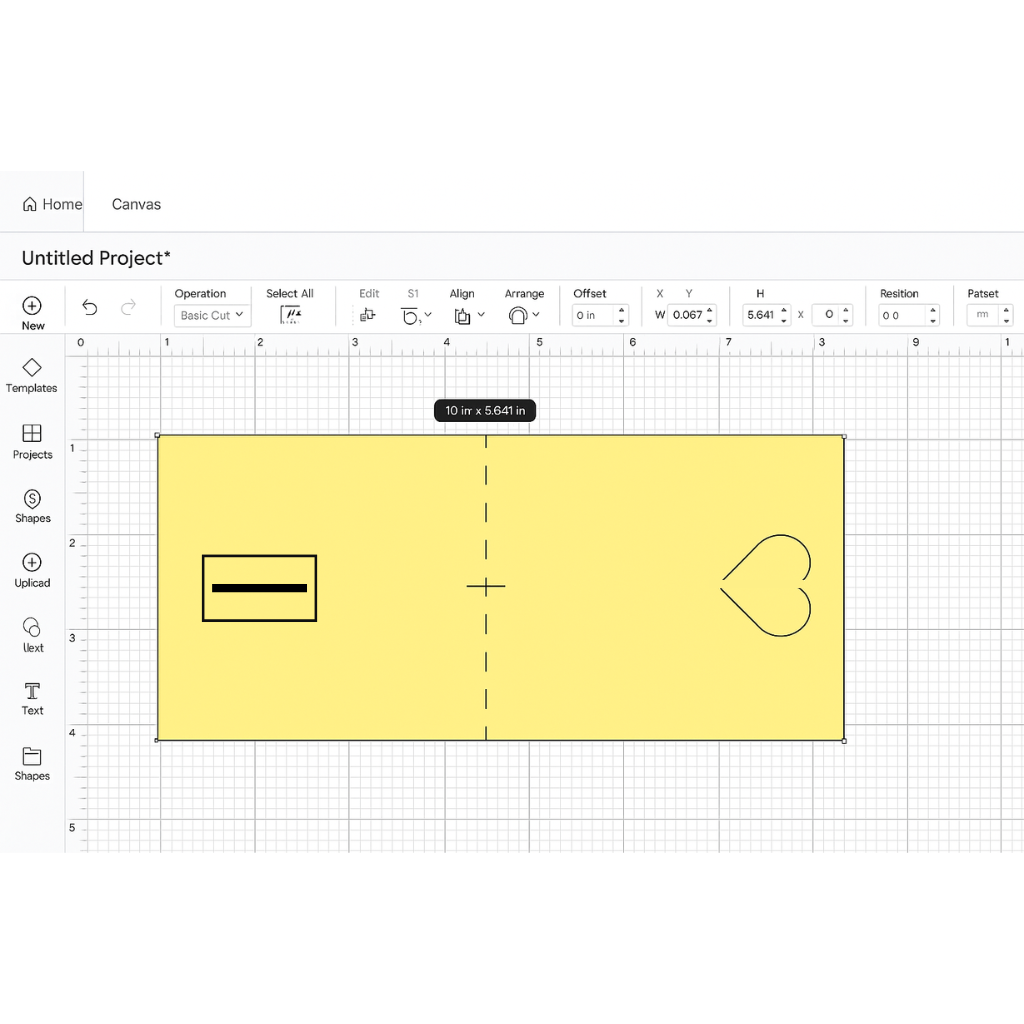
Let’s start with a floral closure card, which uses a pair of petal-shaped flaps and a slit to lock a card closed. It’s like those fancy envelopes or cards that have interlocking petals – super cute and no adhesive needed! We’ll use open-ended shapes to create a small floral slit that two “petal” pieces tuck into, keeping your card closed until it’s pulled open.
Introduction:
This project uses a petal-shaped cutout and a small slit to create a functional card closure—perfect for elegant cards and invitations. It's a no-glue, fold-and-lock method that looks polished and professional.
Materials Needed:
- Cricut cutting machine (Explore, Maker, or Joy)
- StandardGrip mat
- Cardstock (medium to heavy weight)
- Cricut Design Space
- Scoring Stylus or Wheel
- Basic shapes (heart, circle, or petal shape)
Here’s how to make one:
Tip: Use the scoring tool and a centered score line for a clean, even fold. This step matters because a properly folded card base ensures everything lines up when we add our closure.
Tip: Make the slit slightly wider than the combined thickness of the two petal pieces, and center it vertically. Proper alignment here is key – it ensures the petals insert easily and the card locks shut securely (nothing’s worse than a latch that doesn’t catch!).
Tip: If the flaps are a tight fit, slightly enlarge the slit cut and try again, or gently wiggle the petals to loosen the slot. Now you have a lovely card that stays closed with a charming floral-inspired latch! This step is the payoff – seeing your card actually interlock shows how useful open-ended shapes can be for functional design.
Belly Band Closure with an Open Shape
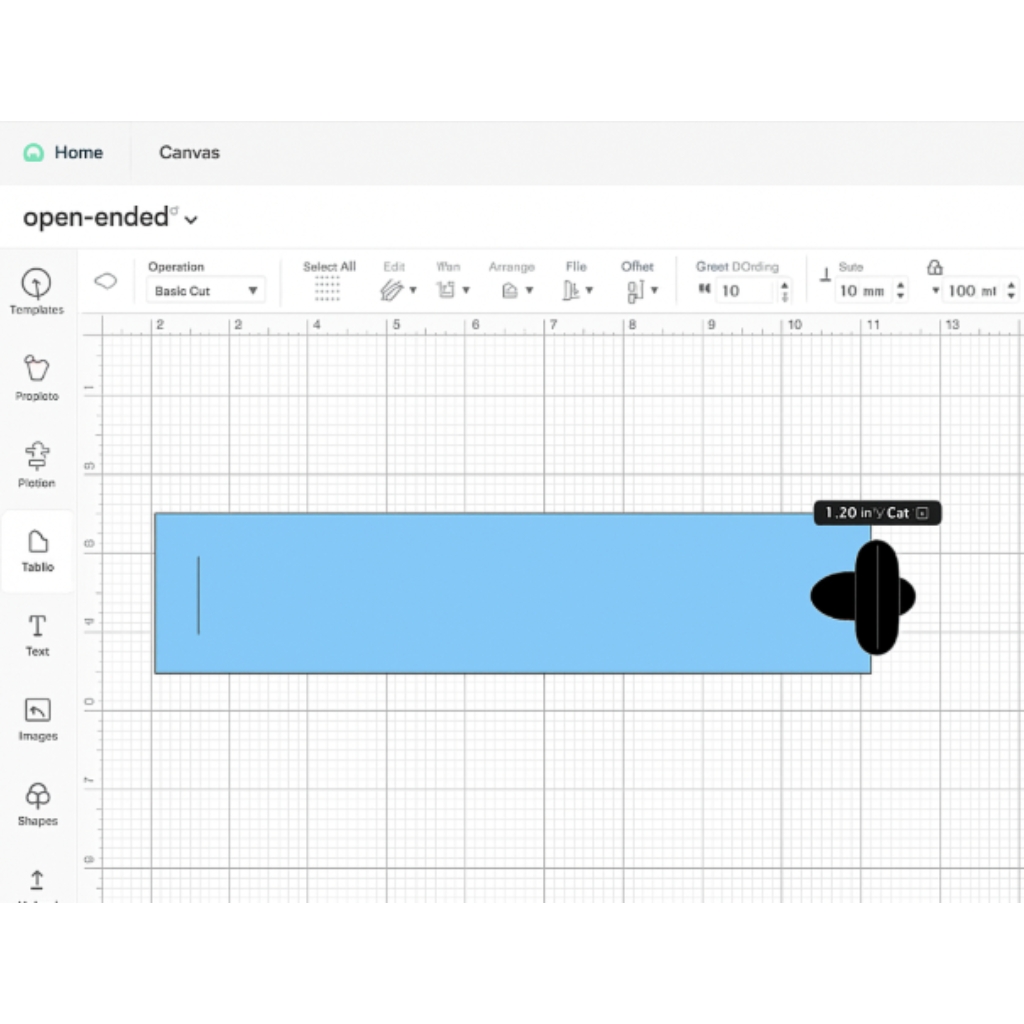
Next up is a belly band closure. A belly band is a paper strip that wraps around a card or envelope, holding it closed (think of those bands around fancy wedding invitations). Traditionally you’d glue the band’s ends together, but here we’ll make it reusable by adding an open-ended shape as a locking mechanism. The result: a neat band that slots together and can slide on and off.
Introduction:
This reusable paper strip wraps around your card and locks in place with an open-ended shape tab and slit. It’s a clever alternative to glue for party invites or handmade stationery.
Materials Needed:
- Cricut cutting machine
- Cardstock or patterned paper
- Basic shapes (rectangle, circle, or tab shape)
- StandardGrip mat
- Cricut Design Space
Let’s do it:
- Measure and Cut the Band: Determine how long your belly band needs to be by wrapping a strip of paper around your card or project. Add about an inch for overlap so the band isn’t too tight. In Design Space or by hand, cut a rectangle to that length (e.g. 2″ tall and long enough to wrap your piece with overlap).
Tip: If using Design Space, you can create a 10″ long, 2″ wide rectangle as a starting point and adjust from there. This measurement step is important because a well-fitted band will slide on easily but still be snug enough to stay put. - Add a Slit on One End: On one end of the belly band strip, cut a small slit – this is your open-ended shape for the lock. You can use a tiny rectangle or line and set it to cut. Place it not too close to the edge (leave a little margin so the paper is strong around it), and roughly centered top-to-bottom on the band.
Tip: Use a 1″ long slit for a standard band, or match the slit length to the width of the tab you’ll insert. Centering the slit and keeping it a bit away from the edge helps the band lock evenly and not tear through the edge. - Create the Tab on the Other End: Now we need a tab that will slide into that slit. On the opposite end of the band, design a small tab shape – a popular choice is a half-circle or “tongue” shape that’s slightly narrower than the slit. For example, you could take a circle shape, cut it in half, and attach the half-circle to the end of the band. Make sure this tab will fit through the slit easily.
Tip: Size the tab a little smaller than the slit (e.g., if the slit is 1″ wide, make the tab about 0.8″ wide). This ensures the tab slides in without bending. Why this matters: a well-sized tab will go in smoothly but won’t fall back out – it’s Goldilocks fitting! - (Optional) Add Little “Wings” for a Secure Lock: If you want the band to latch more securely (so it doesn’t slide out on its own), you can add tiny flaps or wings on the sides of the tab. Essentially, cut small notches or add small curved extensions to the sides of your tab that catch underneath the slit once inserted.
Tip: You can achieve this by welding small rectangles or shapes to your tab in Design Space, or simply ensure the tab’s shape flares out a bit at the base. These little wings will tuck under the paper and keep the band from unlatching until you give it a tug – it’s a clever way to make the closure extra secure. - Assemble the Belly Band: After cutting out the band with its slit and tab, wrap it around your card. Insert the tab into the slit to close the band in a loop.
Tip: If the band is stiff or the tab is hard to feed through, gently curve the band with your hands first to give it a rounded shape, and try inserting at a slight angle.
Once it’s in, the band should hold together on its own! This step shows why we did all that: the open-ended slit and tab now replace glue, making a reusable band that’s both pretty and functional. Slide it off to open your card, and slide it back on to close. How neat is that?
Patterned Card Front with Open-Ended Shape Embellishments
Open-ended shapes aren’t just for closures – they make awesome embellishments too. In this project, we’ll use open-ended shapes to create a decorative patterned front for a card. You can either cut the shapes out for a cutwork design or use the pen/foil tool to draw or deboss the pattern onto the card. This is a great way to add texture and personality to cards without needing a bunch of fancy stamps or stickers.
Introduction:
Turn your card into a custom design using repeated open-ended shapes to make textures, patterns, or borders. Use cutouts, pen drawings, or foil for decorative effects.
Materials Needed:
- Cricut machine
- Cardstock (lightweight for layering or drawing)
- Cricut pens or foil transfer tools (optional)
- Cricut Design Space
- StandardGrip mat
Let’s make a patterned card front:
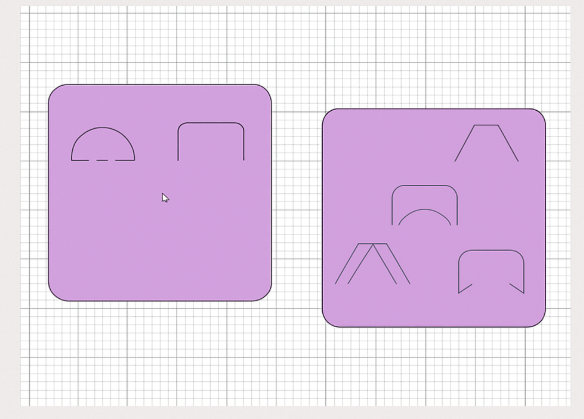
- Pick Your Open-Ended Shape (or Shapes): Decide on a shape theme for your pattern. It could be as simple as a small arc (open curve), a wavy line, a series of slits, or even an open petal shape. For example, you might choose a little U-shaped arc to create a rainbow-like pattern, or multiple short lines for a hatch texture.
Tip: Start with one shape that matches your card’s style – for instance, use small open teardrop shapes for a floral vibe, or open half-circles for a modern geometric look. Choosing a shape that fits your theme makes the pattern feel intentional and cohesive. - Duplicate and Arrange the Pattern: Copy that shape and paste multiple instances to build your pattern across the card front. You can arrange them in a grid, a random scatter, a border, or whatever pattern you like. Play around! This is where you get to be creative. You might line up arcs to form a scalloped border, or scatter slits like confetti.
Tip: Use the alignment tools in Design Space for even spacing, or freeform place the shapes for a whimsical layout. Attaching or grouping them temporarily can help you move the pattern around as one piece. This step is important because the layout of these repeated shapes will determine the final look – taking a moment to arrange (and even preview with different colors or positions) gets you a design you’re happy with before cutting or drawing. - Choose Cut, Draw, or Score: With your pattern laid out, decide how you want to apply it to the card.
You have options:
🎉Cut-Out Pattern: Set the shapes to Basic Cut. This will cut the open-ended shapes out of the card front, giving a cutout or lace effect. You can later back the card with a contrasting color paper for a pop of color through the slits.
🎉Drawn or Foil Pattern: Set the shapes to Pen or Foil. This way the Cricut will draw the shapes with a pen or create foil debossed lines instead of cutting. Great for a drawn doodle look or elegant foil accents.
🎉Score/Deboss Pattern: If you have a scoring wheel or debossing tip, you could even score the pattern for a subtle embossed look.
Tip: For drawn patterns, use fun pen colors (metallic pens can look great for faux embossing). For cut patterns, remember to attach the shapes to the card base in Design Space so they cut exactly where you placed them! Attaching matters here because you want the pattern elements to stay put relative to the card – otherwise the machine might jumble their positions. And deciding cut vs. draw is key to achieving the effect you envision (cut-outs for texture and peek-through, or drawn lines for illustration style). - Cut or Draw Your Card Front: Place your cardstock and let the Cricut work its magic – cutting or drawing the pattern onto your card front. If you opted for a cut-out pattern, weed out the little cut pieces carefully (they’re small!). If you drew or embossed, admire the intricate detail that the machine sketched out.
Tip: If cutting, save a couple of the cut-out pieces to use as extra embellishments (you can even glue a few back on with slight offset for a cool shadow effect). If drawing, allow a moment for any ink to dry before touching to avoid smears. This step is where your card front comes to life with texture and design, proving that even simple shapes repeated can make a stunning custom pattern. - Finish the Card: Finally, if you did cut-outs, you might want to add a backing. Cut a second piece of cardstock (in a contrasting color) the same size as your card front, and glue or tape it behind the patterned front. This way the open shapes show that contrast color through them – it really makes the design pop. If you drew the pattern, maybe add a few gems or a sentiment to complete the card.
Tip: Keep the rest of the card simple to let your new open-ended shape pattern shine. A stamped sentiment or a solid die-cut in the center is often enough. Now you’ve got a card that’s uniquely yours! This project shows how open-ended shapes can be used purely for art – turning a plain card into something eye-catching and custom, with minimal effort and maximum wow-factor.
Peekaboo Flaps for Interactive Designs
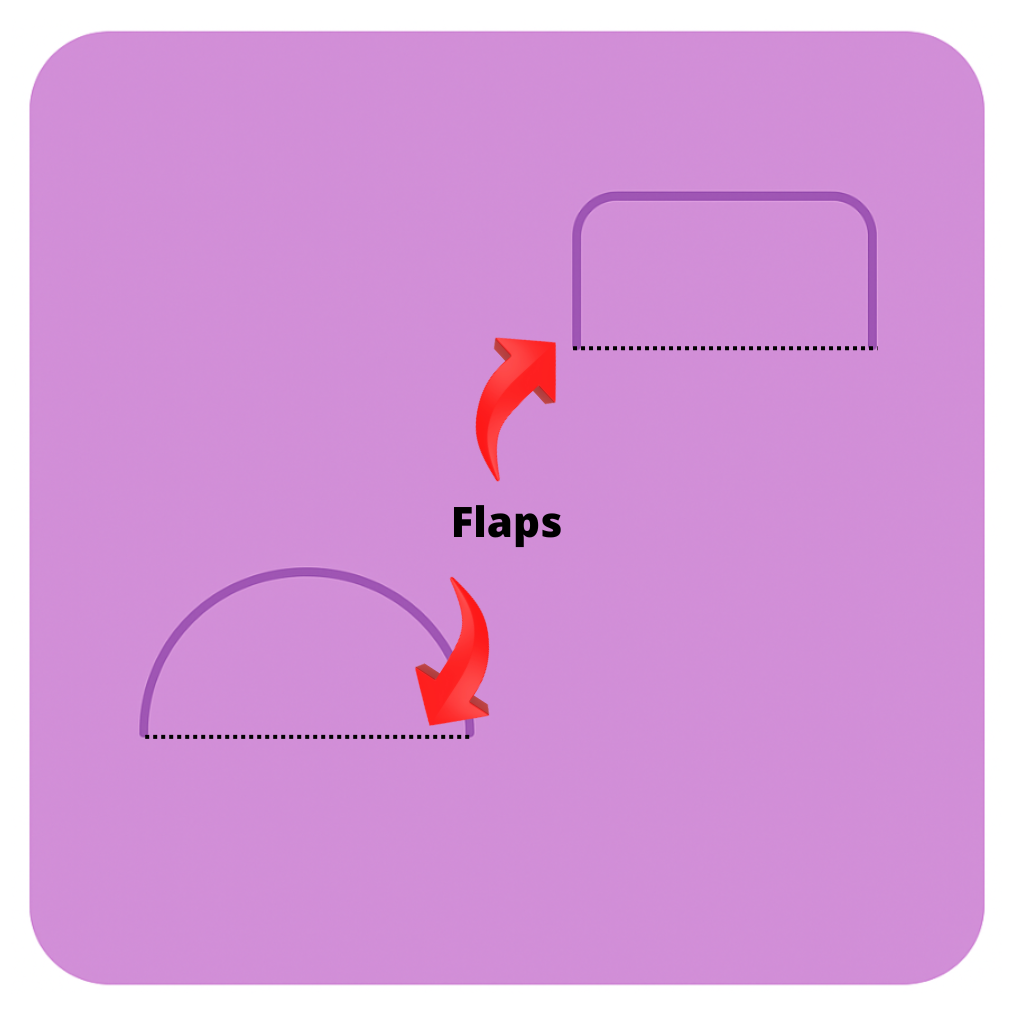
Our last project is all about peekaboo flaps – those little hidden doors or windows in cards and journals that you can open to reveal a surprise. Open-ended shapes are perfect for making these, because by definition they involve a cut that isn’t fully closed (so one side can act as a hinge). We’ll create a small flap element that you can use on a card or scrapbook page to hide a message or image.
Introduction:
Add a fun reveal element to cards or scrapbook layouts with peekaboo flaps. Cut part of a shape and score a hinge to make an interactive door or window for your hidden messages.
Materials Needed:
- Cricut machine
- Cardstock or patterned paper
- Shapes (circle, rectangle, heart, etc.)
- Score Line tool or wheel
- StandardGrip mat
- Cricut Design Space
Let’s make a peekaboo flap:
- Create a Flap Shape: First, choose a shape for your flap. This could be a simple rectangle, a circle, a heart, or something more decorative – the key is we’ll only cut part of it so it swings open. For example, let’s use a small circle (about 1–2″ wide) as our flap.
Tip: You can also use pre-made open-ended shapes from Cricut (like an open circle or half shape) for a ready-made flap outline. Starting with a simple shape is helpful because it’s easier to work with and plan the hinge. - Decide the Hinge Side and Add a Score Line: Determine which side of your shape will remain uncut to serve as the hinge (for a circle flap on a card, the “hinge” could be a small segment of the circle at one side). Now, add a score line along that side. In Design Space, bring a Score Line onto the canvas and position it so it runs along where you want the flap to fold. For instance, if our circle flap will open upward, place a horizontal score line across the circle a little above the bottom edge (so the bottom of the circle will stay attached).
Tip: Make sure the score line exactly overlaps the edge of the shape where you want the fold – zoom in if needed to line it up perfectly.
This step is crucial because the score line is what makes the flap bend instead of tearing off. Essentially, we’re telling the Cricut “don’t cut here, score it so it can fold.” - Attach the Flap to the Card Design: Position your flap shape (with the score line) onto your card or project in the spot where you want the hidden surprise. This could be in the middle of a card front (to reveal a message or image underneath) or on a journal page (to create a secret journaling spot). Once it’s in place, attach the score line to the shape (so they act as one unit) and then attach that whole thing to the card base in your Design Space canvas.
Tip: Set the shape’s line type to Basic Cut and the line to Score, then highlight both and click Attach – this ensures the machine knows to cut the shape but only score that one side.
Attaching here is important (again!) because we need the cut and score to stay aligned; otherwise, the score might end up somewhere else on the mat, which wouldn’t give us a hinge. - Cut the Design and Reveal the Flap: Send your project to the Cricut. It will cut the shape on three sides and just score on the side you marked. Once done, carefully lift the flap with your finger – it should bend along the score line, opening like a tiny door!
Tip: Gently bend along the score line back and forth to “train” the paper to fold – this makes the flap easier to open and close. If a corner is still attached, use a craft knife to free it, but be sure not to cut the hinge side. Now you have a peekaboo flap cut into your paper. This moment is magic because you see how an open-ended cut (combined with a score) creates an interactive element. - Add the Hidden Surprise: With the flap open, add your hidden element. It could be a stamped sentiment (“Happy Birthday!” hidden under a flap on the card front), a small photo or sticker in a journal, or even a different color paper beneath the flap for contrast. Close the flap to ensure everything hides nicely underneath.
Tip: If you want the flap to stay closed until intentionally opened, you can tuck it under another element or use a tiny bit of removable adhesive (like a glue dot) to keep it down – though generally a well-folded flap will lie fairly flat. Why this step? Because the whole point of a peekaboo flap is the fun reveal! Now your project has a delightful interactive feature thanks to a simple open-ended shape cut.
Peekaboo flaps are an addictive use of open-ended shapes – once you see how one works, you’ll want to add little secret doors to everything from greeting cards to scrapbook layouts. They make your crafts engaging and full of personality.
🌟 Final Thoughts
Congratulations – you’ve learned how to leverage open-ended shapes in several creative ways! By now, you can craft cards with clever closures (like the floral petal card and belly band), design unique patterns and embellishments using simple repeated shapes, and even add interactive flaps that surprise and delight. These techniques show just how versatile those “weird little line” shapes can be. Instead of asking “What the heck do I do with this?” you’re now equipped with answers: use them as decorative slits, functional slots, hinges, drawn accents, and more.
Feel free to mix and match these ideas – for example, you could combine a patterned card front and a peekaboo message flap on the inside, or use a floral slit closure and belly band together for extra flair. Open-ended shapes encourage experimentation, so don’t be afraid to play around. The best part is that these tricks don’t require special materials, just some creative design in Cricut Design Space and the will to try something new.
Now when you look at an open-ended shape, you’ll see an opportunity: a chance to make your project more unique, interactive, or polished. Whether you’re a Cricut newbie or a seasoned crafter, open-ended shapes are worth exploring because they offer a simple way to add that “wow” factor to your crafts without a lot of fuss. So go ahead – get imaginative and let those little lines and curves unlock big creativity in your next project!
Other Open-Ended Projects to Try
A variety of papercraft projects made with open-ended shape techniques – from cards to 3D crafts – showing the creative possibilities. Once you start using open-ended shapes, you’ll spot possibilities everywhere. Here are a few other project ideas to inspire you:
Gift Card Holders: Create slits or half-circle tabs on a card or cardstock sleeve to securely hold a gift card. For example, cut two small open semi-circles (one on each side of a gift card-sized slot) and you can slide a gift card in so it stays put.
No more gift cards falling out of greeting cards – the open-ended cuts act like little clips!
Envelope Closures: Design an envelope with a tuck-in flap using open-ended shapes. You could cut a slit into the envelope’s flap and a corresponding tab on the envelope body (or vice versa) to make a re-closable envelope. Another idea is the petal envelope: four round-edged flaps that interlock using curved slits (similar to our floral closure card)
It adds a special touch to handmade envelopes and doesn’t require any adhesive.
Journal or Planner Tabs: Use open-ended shapes to make fold-out tabs or bookmarks in journals. Cut a shape partially out of a page (for instance, an open half-circle sticking out from the edge) so that it creates a tab you can flip. These can mark sections in a planner or add interactive interest in a scrapbook. Because the shape isn’t fully cut out, it stays attached as a hinged tab. It’s a cool way to incorporate designs into the actual structure of the pages.
Photo Corners or Slots: Instead of using glue, cut slits on a scrapbook page or photo mat to hold photos or notes. Four little corner slits can hold a photo by its corners, or a pair of parallel slits can create a pocket for slipping in a picture or tag. Open-ended shapes like small arches or angled lines work great for this – they hold items securely but also let you remove or swap the photo later.
Decorative Box Closures: If you enjoy 3D paper crafts, try using open-ended shapes to make closure flaps for small boxes. For example, a gift box lid could have tabs that slide into slits on the box, or even a curved open shape that hooks onto a notch. The same principle as the belly band can be applied to boxes – and it looks professional and neat to have a box that closes with a paper mechanism. Plus, you can add open shapes as handles or vents for an extra design element (imagine a lantern with slit patterns that let light shine through!).
These are just a few ideas – truly, there are endless projects where open-ended shapes can come in handy. Whenever you need to join paper pieces in a non-permanent way, create a hidden interactive bit, or simply jazz up a design with some line-work, think of these techniques. Happy crafting!
#Cricut #Crafting #PaperCraft #CardMaking #DIYCrafts #CricutProjects #OpenEndedShapes #CraftyCreations
You can grab an Access membership at anytime to use this feature.

