

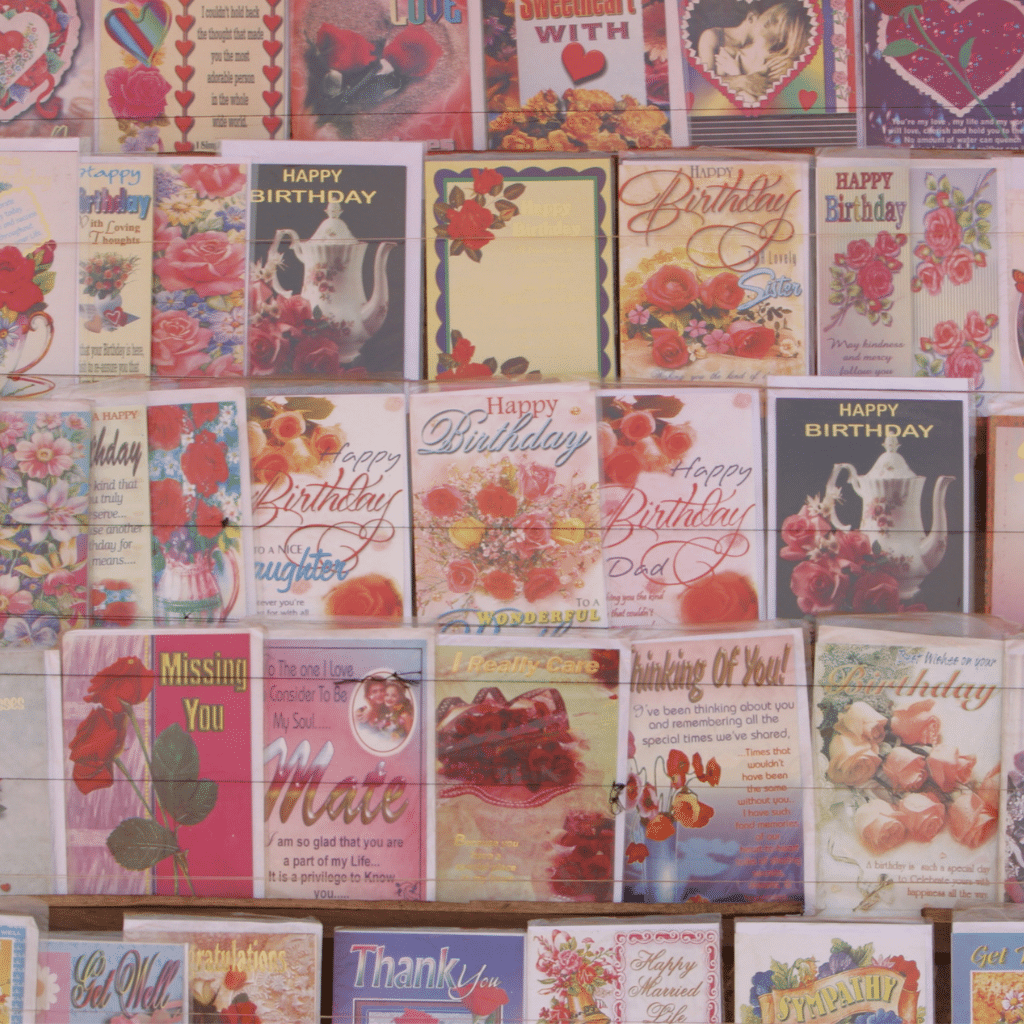
✨ Discover the joy of designing your own custom-folded cards — from simple scores to breathtaking 3D tunnel cards — and unleash your creativity inside Design Space! ✂️💌
Nothing says "handmade with love" 💖 quite like a beautifully folded card. Whether you’re a Cricut beginner or a seasoned crafter 🎯, learning how to design your own folded cards opens a whole new world of creativity. 🎨
In this guide, you’ll master simple folds, playful gate folds 🚪, and even create mesmerizing tunnel cards 🚀 — all step-by-step — using just basic shapes, score lines, and a little imagination! 🌟
Ready to craft cards that WOW? 😍 Let's dive right in!
✨ Simple Card Fold: Your First Custom Card
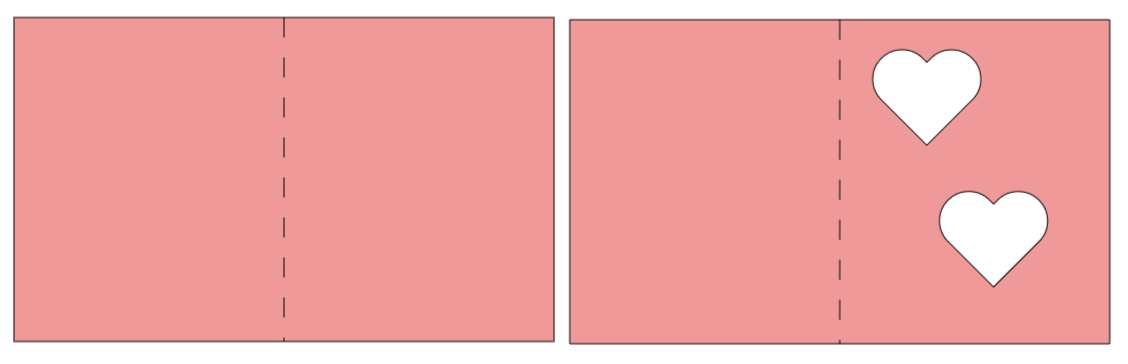
Simple folds are the foundation 🏛️ of every great card design. Here's how to make a basic folded card inside Cricut Design Space:
📋 Materials:
- Cricut Design Space (open and ready 💻)
- A cutting machine (Explore, Maker, etc.) ✂️
- Heavy cardstock or light chipboard 📄
- Scoring Stylus or Scoring Wheel 🛠️ (recommended)
🛠️ Steps:
1. Create a Rectangle:
- Open a new project in Design Space.
- Insert a Square shape 🔲.
- Unlock proportions and resize it to 10" wide x 6" high 📏.
2. Add a Score Line:
- Insert a Score Line from the Shapes menu ➖.
- Resize it to 6" long.
- Center it horizontally using the Align > Center tool 🎯.
3. Attach the Score Line:
- Select both the rectangle and the score line ➡️.
- Click Attach to keep them linked together 🔗.
4. Customize It!
- Change the card color 🎨.
- Add slice-out shapes like ❤️, ⭐, or 🌸.
- Add a liner behind the cutouts for extra flair 🌟.
5. Save Your Project:
- Name it something fun like "Simple Folded Card Base" 🗂️.
✨ Intermediate Fold: The Elegant Gate Fold Card
Want to add a little more flair? 🎀 Let’s make a Gate Fold Card — where two flaps meet perfectly in the center 👏.
🛠️ Steps:
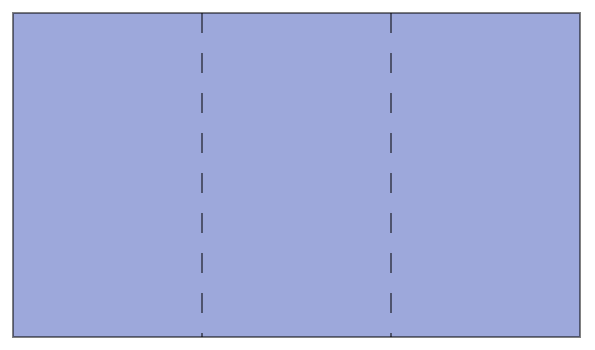
1. Start with a 10.5" x 6" Rectangle📐.
2. Add Two Score Lines:
- First score line: Place it at 3.5" from the left ↔️.
- Second score line: Place it at 7" from the left.
- (Use the Position fields in the toolbar for precision 🔍.)
3. Attach Score Lines to the Rectangle. ✅
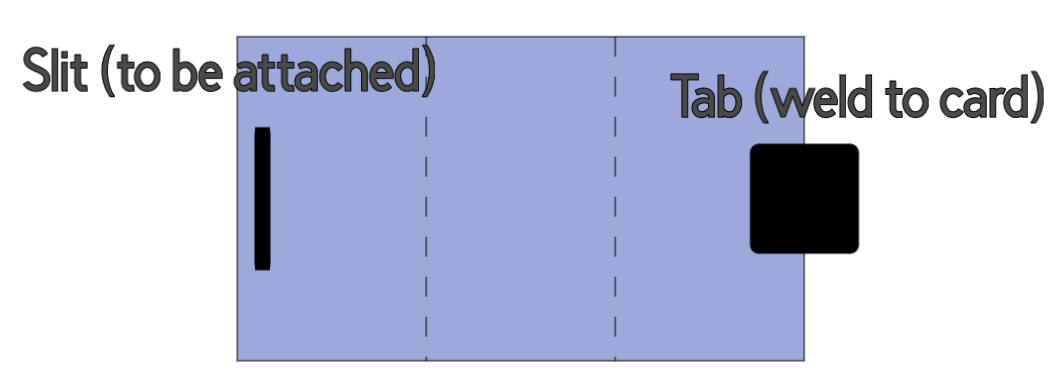
4. Create a Closure Tab (Optional):
- Insert a shape like a rounded square 🟥.
- Align it vertically.
- Attach it and weld if desired 🧵.
5. Create a Slit for the Tab (Optional):
- Insert a skinny rectangle ➖.
- Place it where the tab will slide in 📨.
- Set it as Basic Cut for a tidy slit.
Result: A card that folds neatly and secures beautifully! 🎀💌
🌟 Advanced Project: Stunning Tunnel Card (3D Wow Factor!)
Ready to level up? 🚀 Let's create a Tunnel Card — a layered masterpiece that creates magical depth 🌈.
🛠️ Steps:
1. Base Setup:
- Start with a 10" x 6" Rectangle 📏.
- Add three score lines at:
- 2.5" 📍
- 5" 📍 (middle)
- 7.5" 📍
2. Prepare Tunnel Layers:
- Duplicate the base 🖨️ two more times.
- On each copy, insert an oval, heart, or circle 🥰. Place them at the 7.75" mark across and center vertically.
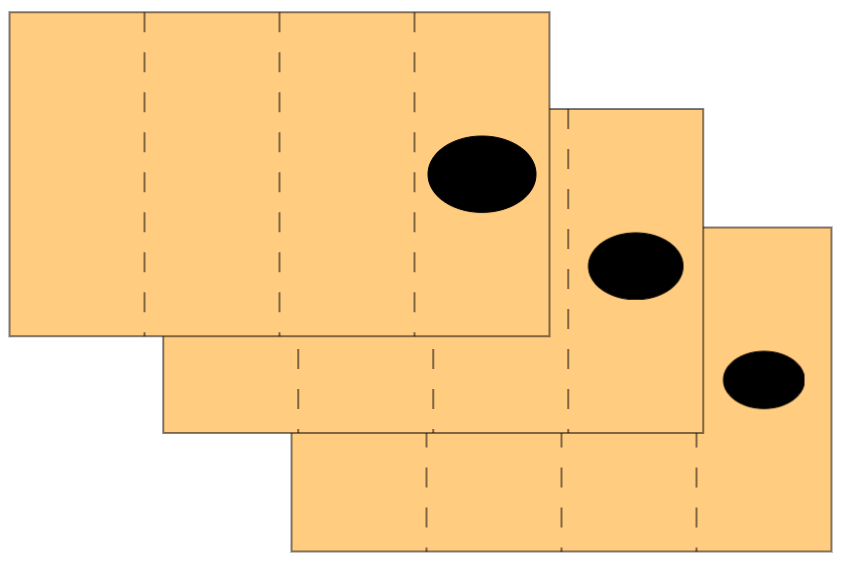
3. Slice the Ovals:
- Slice the shape from each card layer 🍰.
- Make each cutout slightly smaller for deeper tunnel effects 🧩.(You will need to make sure they are centered vertically before you slice)
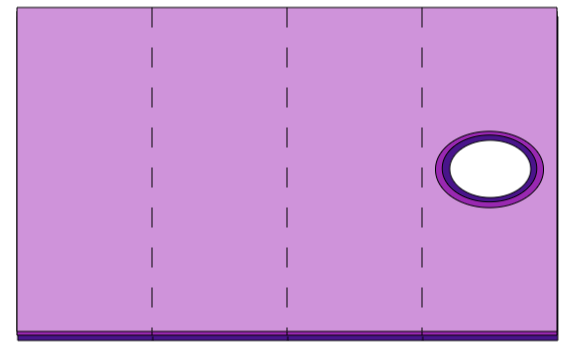
4. Layer and Color:
- Assign different colors 🎨 to each layer for contrast.
5. Arrange:
- Stack the layers from largest to smallest 🥞.
- Fold layers toward you, leaving the back flat.
Pro Tip:
- Use foam tape between layers for even more amazing 3D depth ✨🧷!
🎯 Helpful Tips for Perfect Cards:
- Always Align > Center 🎯 your score lines and cutouts.
- Use Even Numbers (like 10") to simplify folding 📏.
- Save projects with descriptive names 📝.
- Test folds on scrap paper first before using expensive cardstock! 💡
🛍️ Final Thoughts
With just a few score lines, slices, and a sprinkle of creativity ✨, you can craft folded cards that are stunning, memorable, and uniquely YOU! 💖
Learning these folding techniques not only makes your Cricut skills stronger 💪 — it unlocks your designer's heart 💖, ready to create cards that feel like little works of art. 🎨
Grab your materials and let’s make magic! 🌟✂️
#CricutCrafts, #CardMaking, #HandmadeCards, #PaperCrafting, #DIYCards, #GateFoldCards, #TunnelCards, #SimpleCardDesigns, #CraftingTips, #CardFoldTutorial, #CricutDesignSpace, #CustomCards
You can grab an Access membership at anytime to use this feature.

